How to Create Movie Subtitles With Notepad.
How to Create Movie Subtitles With Notepad.
Today I planned to share a very common and useful thing, i.e, how to create movie subtitles with just a notepad. Generally, when there is a language difference, subtitles are used for better understanding of movie's conversations. A specific type of file format called .srt file are globally used for movie subtitles. Today I am going to tell you how to create a .srt file using notepad.

What is .srt file ?
.srt file stands for SubRip Text files. It contains simple formatted text data which was first written in France. The data in the .srt file is written in the following format.
Subtitle number
Start time --> End time
Subtitle texts
Blank line
The Start time and End time are written in hours:minutes:seconds,milliseconds format.
How to write ?
To create a subtitle just open your notepad and start editing it as per the video.
Just see the below example and you will have a better understanding.
1
00:00:19,000 --> 00:00:22,600
Hey Sumit are you in market now ?
2
00:00:24,900 --> 00:00:27,700
Oh sorry, I really forgot to go there ?
3
00:00:29,600 --> 00:00:33,600
Don't tell me sorry. It was really urgent ! !
I will suggest you one thing here, just copy and paste the above code in a notepad file and save it with any name in .srt extension.
Now open any mp4 file with VLC media player and drag-drop the .srt file on it.
Similar to above code you can also write more subtitles for your movie.
Explaining the code ?
The text is not at all difficult to understand. It has been written in plain text but with a specific format.
You just need to be careful about the timing. For example I can tell you, if you play the above .srt file, the dialog "Oh sorry, I really forgot to go there ?" will come at 24 second 900 millisecond and will stay on screen upto 27 second 700 millisecond.
How to Save after writing the code?
See below Pic format of saving.

So you just play your movie and side by side go on adding as much dialog as you want in the notepad by setting proper time.
If u like this so please comment below ty :).
Today I planned to share a very common and useful thing, i.e, how to create movie subtitles with just a notepad. Generally, when there is a language difference, subtitles are used for better understanding of movie's conversations. A specific type of file format called .srt file are globally used for movie subtitles. Today I am going to tell you how to create a .srt file using notepad.
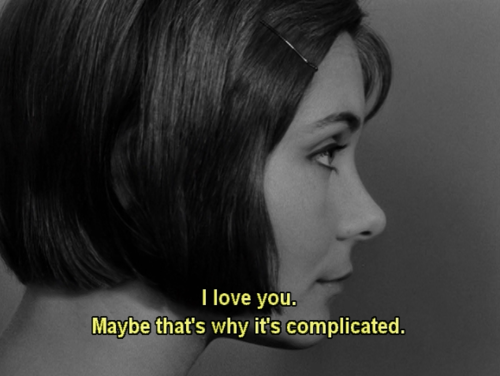
What is .srt file ?
.srt file stands for SubRip Text files. It contains simple formatted text data which was first written in France. The data in the .srt file is written in the following format.
Subtitle number
Start time --> End time
Subtitle texts
Blank line
The Start time and End time are written in hours:minutes:seconds,milliseconds format.
How to write ?
To create a subtitle just open your notepad and start editing it as per the video.
Just see the below example and you will have a better understanding.
1
00:00:19,000 --> 00:00:22,600
Hey Sumit are you in market now ?
2
00:00:24,900 --> 00:00:27,700
Oh sorry, I really forgot to go there ?
3
00:00:29,600 --> 00:00:33,600
Don't tell me sorry. It was really urgent ! !
I will suggest you one thing here, just copy and paste the above code in a notepad file and save it with any name in .srt extension.
Now open any mp4 file with VLC media player and drag-drop the .srt file on it.
Similar to above code you can also write more subtitles for your movie.
Explaining the code ?
The text is not at all difficult to understand. It has been written in plain text but with a specific format.
You just need to be careful about the timing. For example I can tell you, if you play the above .srt file, the dialog "Oh sorry, I really forgot to go there ?" will come at 24 second 900 millisecond and will stay on screen upto 27 second 700 millisecond.
How to Save after writing the code?
See below Pic format of saving.

So you just play your movie and side by side go on adding as much dialog as you want in the notepad by setting proper time.
If u like this so please comment below ty :).


how can we remove the advertising info for suppose insta id which is not visible on notepad
ReplyDelete